Certified Acer Technician

Acer Computer Repair in Fort Lauderdale & the Tri-County Area – Nitro, Swift, Spin, TravelMate & Aspire

Serving the entire Tri-County area (Broward, Miami-Dade & Palm Beach), we provide same-day onsite and mobile Acer repair from our Fort Lauderdale base. We fix screens, motherboards, viruses and more right at your home or office. For complex motherboard repairs, we offer free pickup and delivery – no sending it away to a depot.

We specialize in Liquid Damage and Motherboard repair, and Provide services like Screen Repair, Virus Removal, Keyboard Repair, OS Installation, and Computer Setup — all performed onsite in Fort Lauderdale with free pickup and delivery for complex repairs.

900+ 5‑star reviews on Google & Yelp
Acer laptop screen repair center in Fort Lauderdale – cracked screen replacement and motherboard repair

All Acer Repair Services in Fort Lauderdale

From hardware fixes to software setup — we do it all, right at your home or office.

Don't Ship Your Acer Away — We Come to You

Why wait days or weeks for a depot repair when we can fix your Acer laptop or desktop right in your home or business? Our mobile service is faster, safer, and more convenient.

Onsite Mobile Service & Free Pickup

Our fully equipped mobile vans serve as rolling repair centers. We come directly to your location in Fort Lauderdale, Miami-Dade, or Palm Beach, so you don't waste time driving or packing up your machine. For complex Acer motherboard repairs and liquid damage that require specialized lab equipment, we offer free pickup and delivery — no hidden fees, no shipping costs.

Speed: Same-day service for most repairs.
Convenience: No packaging or trip to a store.
Security: Your data never leaves your sight during onsite fixes.

Parts in Stock & Diagnostic Know-How

We stock Acer screens, keyboards, batteries, DC jacks, and cooling fans for most models including Aspire, Predator, Swift, Spin, and Nitro. That means we can often fix your Acer on the spot without waiting for back-ordered parts.

No power? We check the charging light (AC adapter) and DC jack first. If the light is off, it may be a dead battery, faulty charger, or a failed power IC on the motherboard. If the light is on but still no boot, the issue could be a failed CMOS battery, BIOS corruption, or a shorted component — all of which we can diagnose and fix with component-level micro-soldering.

Why send your Acer laptop away when we can fix it in your home or business? Whether you have an Aspire, Predator gaming laptop, Swift, Spin, or Nitro, when your Acer system slows to a crawl or refuses to power on, the culprit is often a failing hard drive. Mechanical hard drives (HDDs) have moving parts that wear out over time, causing clicking sounds, freezing, and the dreaded "blue screen of death". We recommend upgrading to a Solid State Drive (SSD) — this simple swap can make your Acer computer up to 10x faster, with boot times under 15 seconds and near-instant file access. Plus, an SSD has no moving parts, making it more reliable and power-efficient. With our onsite service, we clone your data to the new drive on the spot, so you keep your Windows license, software activations, and personal files. No shipping, no downtime, and no third-party handling your sensitive data. Fix it with us — speed, security, and convenience.

How Our Acer Repair Process Works

We make Acer repair simple, whether you need screen repair, motherboard repair, or virus removal in Fort Lauderdale.

1. Contact Us

Call or request a quote and tell us what's wrong with your Acer computer.

2. Pickup or Onsite

We come to your home or office in Fort Lauderdale, or arrange free pickup for complex repairs.

3. Repair

We diagnose the issue and complete the repair using quality parts and proven methods.

4. Return & Test

Your Acer is tested, returned, and ready to use again as quickly as possible.

Acer Repair Service Area – Broward, Miami-Dade & Palm Beach (Tri-County)

We provide Acer repair across all three counties: Broward, Miami-Dade, and Palm Beach.

Primary area: Fort Lauderdale, Las Olas, Victoria Park, Flagler Village, Riverwalk, and surrounding Broward County neighborhoods.

Also serving: Miami, Hialeah, Doral, Coral Gables, Miami Beach, Boca Raton, Boynton Beach, Delray Beach, and nearby South Florida cities.

Services available: Acer screen repair, motherboard repair, virus removal, and free pickup and delivery for qualifying repairs.

Expert Acer Repair – We Fix What Others Can't

Component‑level motherboard repair, screen replacement, virus removal, and more – all with free pickup and delivery across Broward County.

Motherboard Repair

We micro‑solder and repair your original Acer motherboard – preserving your Windows license, data, and software activations. No board swap = no license loss.

Screen Replacement

Cracked, dim, or color lines? We replace Acer laptop screens in under 30 minutes at your home. Nitro, Swift, Spin, TravelMate – all models.

Virus & Malware Removal

We remove CryptoWall, FBI MonePak, and other ransomware without reloading your system. Flat rate $125 with 30‑day warranty.

Free Pickup & Delivery

For motherboard and complex repairs, we pick up your Acer from your home and return it after repair – no extra charge, no hassle.

More Acer Laptop Repairs We Offer in Fort Lauderdale

From broken hinges to overheating systems, we fix every part of your Acer laptop. Quality parts, fast turnaround, and free pickup & delivery across Broward County.

Hinge & LCD Back Cover

Loose or broken hinges causing screen wobble? We replace Acer laptop hinges and LCD back covers. Most repairs in 1-2 hours.

Starting at $149

Get a quote →

Hard Drive & SSD Upgrade

Upgrade to a blazing-fast SSD or replace a failing hard drive. We clone your data and optimize your Acer for peak performance.

Starting at $125 + parts

Learn more →

Battery Replacement

Acer laptop not holding a charge? We install genuine or high-quality replacement batteries for all Acer models. Same-day service available.

Starting at $99 + parts

Get new battery →

Cooling Fan & Heat Sink

Noisy, grinding, or non-spinning fans? We repair or replace Acer laptop cooling fans and heat sinks to prevent thermal throttling.

Starting at $129

Schedule fan repair →

Overheating & Thermal Paste

Is your Acer laptop shutting down or running hot? We deep-clean internals, replace thermal paste, and optimize fan curves.

Starting at $99

Fix overheating →

Keyboard Replacement

Sticky, missing, or unresponsive keys? We replace Acer laptop keyboards with genuine or high-quality compatible parts. Fast turnaround.

Starting at $119

Replace keyboard →
Schedule Your Repair Today

Free pickup & delivery available for all repairs

We Repair All Acer Models – Nitro, Swift, Spin, TravelMate, Aspire, Ferrari & More

From budget-friendly Aspire to high-performance Nitro gaming laptops, we've repaired thousands of Acer systems. Our technicians are experienced with all Acer product lines including Nitro, Swift, Spin, TravelMate, Extensa, Aspire, Aspire One, Ferrari, Predator, and more. We stock screens, keyboards, batteries, DC jacks, and other common parts for most models.

Acer Laptop Screen Repair – Models by Series

We offer same‑day screen replacement for all Acer laptops. Below is a breakdown of screen types, sizes, and estimated repair costs by series. All repairs include a 90‑day warranty on parts and labor.

Series Screen Sizes Screen Types Est. Repair Cost Parts in Stock
Aspire14", 15.6", 17.3"HD, FHD, Touch$149 – $249✅ In Stock
Nitro15.6", 17.3"FHD, IPS, 144Hz$199 – $349✅ In Stock
Swift13.3", 14", 15.6"FHD, QHD, OLED, Touch$199 – $399✅ In Stock
Spin13.3", 14", 15.6"FHD, QHD, Touch, Convertible$229 – $379✅ In Stock
TravelMate14", 15.6"FHD, Anti-Glare$169 – $289✅ In Stock
Predator15.6", 17.3"FHD, QHD, 4K, 165Hz+$249 – $450✅ In Stock
Extensa15.6"HD, FHD$149 – $219✅ In Stock
Ferrari13.3", 15.6"FHD, Glossy$189 – $299⚠️ Call to Check
Aspire One10.1", 11.6"HD, LED$99 – $169✅ In Stock

Prices include labor and parts. Touchscreen and 4K/OLED screens may cost more. Call for an exact quote.

Acer Motherboard Repair – Models by Series

We perform component-level micro-soldering on Acer motherboards—not just board swapping. This preserves your Windows license, data, and software activations. Below are common failures and repair costs by series. All repairs include a 90-day warranty and free pickup/delivery in South Florida

Series Common Motherboard Failures Repair Type Est. Repair Cost Free Pickup
Predator & Nitro (Gaming) GPU BGA failure, overheating, power regulation issues, liquid damage, BIOS corruption. BGA reballing, GPU reflow, Power management IC repair. $249 – $450
TravelMate & Extensa No power / no boot, USB-C charging port failure, BIOS corruption, liquid spill on keyboard. Micro-soldering, BGA reflow, Port replacement. $179 – $329
Swift & Spin Overheating (CPU BGA failure), no display, water damage, corrupted Thunderbolt firmware. BGA reballing, Trace repair, IC replacement. $229 – $399
Aspire & Aspire One DC jack broken (loose connection), charging IC failure, GPU short. DC jack resoldering, Power management IC repair. $149 – $279
All Models – Liquid Damage Corrosion on board, shorted components, damaged keyboard flex cables. Ultrasonic cleaning, trace repair, corrosion neutralization. $279 – $450

Prices include labor and diagnostics. Complex BGA (CPU/GPU) repairs may cost more. We do NOT charge extra for Windows license retention. Call for an exact quote.

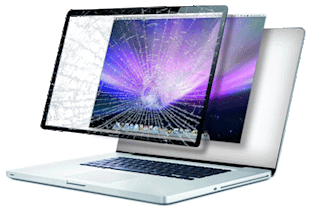
Acer laptop screen replacement in Fort Lauderdale – cracked screen repair
Acer Nitro gaming laptop motherboard repair in Fort Lauderdale – BGA, SMD, BIOS chipset repair

Complete Acer Model List – We Service Every Series

Current Models (2024 – 2026) – Parts in Stock
Nitro: V 15, V 16, V 17, 5, 5 Pro, 7, 7 Pro
Swift: Go 14, Go 16, X 14, X 16, Edge 16, Lite 14
Spin: 3, 5, 7, 14, 16
TravelMate: P2, P4, P6, Spin B3, Spin B5
Aspire: 3, 5, 7, Lite 14, Lite 15, Vero 14, Vero 16
Predator: Helios 16, Helios 18, Triton 14, Triton 16, Orion 7000
Extensa: 15, 15X
Recent Models (2019 – 2023)
Nitro: 5 (AN515), 7 (AN715), 5 Spin
Swift: 1, 3, 5, 7, X, SF114, SF314, SF514, SF714
Spin: 1, 3, 5, 7, CP311, CP713
TravelMate: P2, P4, P6, Spin B3, B5
Aspire: 1, 3, 5, 7, A114, A115, A315, A515, A715
Predator: Helios 300, Helios 500, Triton 300, Triton 500, Orion 3000, Orion 5000
Extensa: 14, 15, 15X
Ferrari: One, 4000, 5000
Legacy Models (2012 – 2018) – Still Supported
Aspire: E1, E3, E5, E11, E13, E14, E15, ES1, ES3, ES5, ES11, ES13, ES14, ES15, V3, V5, V7, V11, V13, V15, V17, R3, R5, R7, R11, R13, R14, R15, S3, S5, S7, S13, S15, S17, M3, M5, M7, M11, M13, M15
TravelMate: B113, B115, B117, B118, P243, P253, P263, P278, P449, P459, P643, P653, P663, P673, P643-M, P653-M
Extensa: 2509, 2510, 2511, 2519, 2520, 2530, 2540, 2550, 2560, 2570, 2580, 2590, 2600, 2610, 2620, 2630, 2640, 2650, 2660, 2670, 2680, 2690, 2700, 2710, 2720, 2730, 2740, 2750, 2760, 2770, 2780, 2790, 2800, 2810, 2820, 2830, 2840, 2850, 2860, 2870, 2880, 2890, 2900, 2910, 2920, 2930, 2940, 2950, 2960, 2970, 2980, 2990
Nitro: AN515-51, AN515-52, AN515-53, AN515-54, AN715-51
Predator: G3, G5, G7, G9, Helios 300 (2017-2018), Triton 700
Spin: SP111, SP113, SP314, SP513, SP714
Swift: SF113, SF114, SF314, SF514, SF713, SF714
Ferrari: 1000, 1100, 1200, 3000, 3200, 3400, 4000, 5000
Aspire One: 721, 722, 725, 751, 752, 753, 755, 756, 757, 758, 759, 760, 761, 762, 763, 764, 765, 766, 767, 768, 769, 770, 771, 772, 773, 774, 775, 776, 777, 778, 779, 780, 781, 782, 783, 784, 785, 786, 787, 788, 789, 790, 791, 792, 793, 794, 795, 796, 797, 798, 799
Have an older model not listed? Call us – we likely still have parts or can source them.

Virus Removal for Acer Computers in Fort Lauderdale

If your Acer computer is running slow, showing pop-ups, or locked by malware, we can help. Our virus and malware removal service is designed to remove the infection without reinstalling your system, helping preserve your files and software.

Ransomware Removal

We decrypt CryptoWall, Locky, and other ransomware strains without paying the ransom. Over 200 successful recoveries on Acer systems.

Malware & Spyware Cleanup

Deep scans remove rootkits, keyloggers, and adware that slow down your Acer PC. We clean what antivirus misses.

Preventive Security Setup

We install and configure enterprise-grade antivirus, firewall, and backup solutions to keep your Acer computer safe.

⚠️ Beware of fake Microsoft tech support scams: Scammers call claiming your Windows PC is infected and request remote access or payment. We've helped many Fort Lauderdale residents avoid these fraudulent fees. We never call you – we only fix what you bring to us. Learn more about our virus removal process →

Same‑day virus removal for Acer computers in Broward County — we come to you in Fort Lauderdale, Hollywood, Pembroke Pines, Coral Springs, or anywhere in Broward. Flat rate $125 with a 30‑day warranty. Call (754) 234-5598 for immediate help.

Service Area – Broward County (In‑Home Acer Service)

Based in Fort Lauderdale, we provide Acer computer repair throughout Broward County, Miami-Dade County, and Palm Beach County. From laptop screen repair and motherboard repair to virus removal, we serve homes and businesses across South Florida with onsite service and free pickup and delivery when needed.

ZIP Codes: 33004, 33009, 33019, 33020, 33021, 33022, 33023, 33024, 33025, 33026, 33027, 33028, 33029, 33060, 33061, 33062, 33063, 33064, 33065, 33066, 33067, 33068, 33069, 33071, 33073, 33076, 33077, 33083, 33084, 33093, 33301, 33302, 33303, 33304, 33305, 33306, 33307, 33308, 33309, 33310, 33311, 33312, 33313, 33314, 33315, 33316, 33317, 33318, 33319, 33320, 33321, 33322, 33323, 33324, 33325, 33326, 33327, 33328, 33329, 33330, 33331, 33332, 33334, 33335, 33336, 33337, 33338, 33339, 33340, 33345, 33346, 33348, 33349, 33351, 33355, 33359, 33388, 33394.
Neighborhoods: Fort Lauderdale, Hollywood, Pembroke Pines, Coral Springs, Pompano Beach, Davie, Plantation, Sunrise, Miramar, Weston, Deerfield Beach, Tamarac, Margate, Lauderhill, Coconut Creek, Oakland Park, Hallandale Beach, Dania Beach, Wilton Manors, Las Olas, Victoria Park, Flagler Village, Riverwalk, and all surrounding communities.
Broward Miami-Dade Palm Beach Tri-County Coverage
Acer service you can trust! Call us directly: (754) 234‑5598 Free pickup & delivery available.

Google Reviews LIVE

-- ☆☆☆☆☆ Based on -- reviews

Loading reviews…

Initializing…

Find Your Local Acer Tech

Enter your ZIP code. We'll take you to the best local page for your area.

Not sure? Call us directly: 754-234-5598

Frequently Asked Questions About Acer RepairFAQ

How much does Acer laptop screen repair cost in Fort Lauderdale?

Acer laptop screen repair costs typically range from $149 to $450 depending on the model (Nitro, Swift, Spin, TravelMate, Aspire) and screen type. We offer free diagnostics and in-home service with no hidden fees. Contact us for a specific quote.

Do you repair Acer motherboards onsite in Fort Lauderdale?

Yes! We offer free pickup and delivery for Acer motherboard repairs. We perform component-level micro-soldering in our specialized lab, preserving your Windows license, data, and software activations. Most repairs are completed in 2-3 days.

Can you fix a water-damaged Acer laptop at my home?

We offer free pickup and delivery for liquid-damaged Acer laptops. While we perform microsoldering and logic board repairs in our specialized lab, we handle all the logistics so you don't have to leave your home. Most repairs take 2-3 days.

Do you fix Acer Nitro and gaming laptops?

Yes, we specialize in Acer Nitro and other gaming laptop repairs including motherboard, GPU, and cooling system issues. We perform component-level repairs and offer free pickup and delivery across Broward County.

How quickly can you fix my Acer laptop screen in Fort Lauderdale?

We can replace most Acer laptop screens in under 30 minutes right at your home or office in Fort Lauderdale. We stock screens for all Acer models including Nitro, Swift, Spin, TravelMate, and Aspire.

Do you offer virus removal for Acer computers?

Yes, we provide expert virus, malware, and ransomware removal for all Acer computers. We remove CryptoWall, FBI MonePak, and other infections without reloading your system. Flat rate $125 with 30-day warranty.

Acer Troubleshooting Guide – Noises, Beeps, Overheating, OS, EOL, Battery & More Diagnose

Try our free Self‑Service Troubleshooting Guides first!

If you're still stuck, Complete Computer Repair (CCRS) is here to help. Our Acer‑certified technicians diagnose and fix every issue listed below – from noisy fans and failing drives to OS upgrade nightmares, EOL security risks, and malware. We come to you with same‑day onsite service, free pickup & delivery for complex repairs, and a 100% satisfaction guarantee. Call (754) 234-5598 or request a quote – and let Complete Computer Repair get your Acer running like new.

Acer Fan & Grinding Noises – Predator, Nitro, Aspire & Swift Specifics

  • Jet‑engine roar / high‑pitch whine (Predator Helios & Triton): Acer's "CoolBoost" technology runs fans aggressively to keep high‑performance Intel/AMD CPUs cool. A constant whine usually means dust clogging the fine mesh intake grills – a common design flaw on Predator 300/500 models where the grills are too tight. We clean the grills and recalibrate the fan curve in Acer PredatorSense.
  • Grinding / rattling / clicking (Nitro 5 & Aspire 7): These gaming and budget laptops use fans with plastic bearings that wear out after 12–18 months. The grinding sound means the fan blades are scraping against the heatsink shroud. We replace the entire fan module with a genuine Acer FRU – never generic knock‑offs, which fail within 6 months and often run louder than the original.
  • Intermittent buzzing or vibration (Swift & Spin): This is often caused by a single piece of dust or lint trapped between the fan blade and the ultra‑thin magnesium chassis. We use a thermal camera to locate the hotspot and carefully remove the obstruction without damaging the delicate fan blades.
  • Fan runs constantly even at idle (Aspire 3/5/7): Acer's default "Performance" thermal profile keeps the fan on aggressively. However, 8 out of 10 times, the heatsink fins are completely matted with dust – a well‑known issue on Aspire models where the bottom cover has very small ventilation holes. We disassemble the cooling assembly, clean every fin with compressed air, and apply fresh thermal paste to restore silent operation.

Acer-Specific Fix by CCRS: We diagnose fan issues using Acer Care Center (built‑in) and check the fan RPM readings. We then disassemble your Acer, remove the fan module, and deep‑clean the heatsink fins using compressed air and anti‑static brushes. We use Acer PredatorSense (for gaming models) or Acer Quick Access (for consumer models) to reset the fan profile. If the fan fails the physical test, we replace it with a genuine Acer part on the spot. Book a same-day Acer fan repair.

Acer Overheating, Thermal Paste & Dust – Why Predator, Aspire & Swift Shut Down

  • Sudden shutdowns under load (Predator Helios 300/500): Acer enforces a strict 100°C CPU junction limit. When the factory thermal paste dries out (common on Predator models with Intel 11th/12th gen CPUs), the CPU hits 100°C in under 90 seconds of gaming, triggering a hard shutdown. We replace the paste with Thermal Grizzly Kryonaut – specifically recommended for Acer's direct‑die CPU mounting.
  • Fan at max speed but keyboard still hot (Nitro 5): These laptops place the CPU directly under the WASD keys. Dust accumulation inside the fan chamber prevents heat from reaching the exhaust. We regularly see Nitro 5 models running 15–20°C hotter than factory specs simply due to a 1mm layer of dust blocking the side exhaust vents.
  • Game stuttering and FPS drops (Predator Triton): Acer's "CoolBoost" technology aggressively shifts power between CPU and GPU. However, when the thermal paste pumps out (a known issue with Acer's factory paste), the GPU hits thermal limits and downclocks from 100W to 40W – causing massive framerate drops. We re‑paste both CPU and GPU dies and re‑apply thermal pads on the VRAM and VRMs.
  • System freezes or random reboots (Aspire 3/5): The Voltage Regulator Modules (VRMs) on budget Acer motherboards run notoriously hot. When dust insulates the heatsink, VRMs overheat and cause voltage drops, leading to random freezes and blue screens. We replace the degraded thermal pads on the VRMs with high‑performance 6W/mK pads.
  • Why Acer paste fails faster: Acer uses a cheap, low‑viscosity grey paste on the assembly line to cut costs. It dries out within 12–18 months due to the thin heatsink mounting pressure and the rapid thermal cycling of Intel Core processors. Combined with dust, this creates a "thermal blanket" that traps heat inside the chassis.

Acer-Specific Fix by CCRS: We fully disassemble your Acer using the official service manuals. We remove the old, crusted factory paste with 99% isopropyl alcohol and apply Thermal Grizzly Kryonaut in a precise "spread" pattern to ensure full CPU/GPU die coverage. We deep‑clean the unique Acer fan assembly and replace any swollen thermal pads on the VRMs and chipset. We then run a full stress test using Acer Care Center and adjust the PredatorSense or Quick Access fan profiles to prevent aggressive throttling. Expect a 15°C–25°C temperature drop and a quieter, snappier Acer. Schedule your Acer overheating repair.

Acer Hard Drive / SSD Noises – Aspire, Nitro & TravelMate

  • Loud clicking or ticking (Aspire 5/7, older TravelMate): Acer used Western Digital and Seagate mechanical drives extensively. Rhythmic clicking is the classic sign of imminent hard drive failure. The read/write heads are unable to park correctly. Power off immediately to prevent further data loss.
  • Scraping / scratching sound (Predator gaming models): The platters are physically being gouged by the heads. This is catastrophic – data recovery becomes extremely difficult. We offer free pickup and delivery to get your Acer to our lab for urgent data extraction.
  • Whirring with intermittent "grunt" sounds (Aspire 3): The spindle motor is struggling to spin up the platters. This often occurs in Acer models with 2.5" HDDs. We clone the drive to a new Kingston or Samsung SSD before the motor fails completely.
  • SSD – no moving parts, but ... While SSDs are silent, we regularly see Kingston and Micron SSDs (used in many Acers) suffer from controller failures. This causes system hangs, blue screens, and "No Bootable Device" errors. We update the SSD firmware via Acer Care Center – which resolves many controller issues without data loss.

Acer-Specific Fix by CCRS: We immediately run diagnostics using Acer Care Center > System Check to confirm the failure. We then perform a sector‑by‑sector clone using hardware tools (to avoid stressing the failing drive further). For failed HDDs, we upgrade you to a brand‑new NVMe SSD and transfer your Windows license and data. For SSDs, we update the firmware and run a secure erase if needed. Our data recovery service is available for all Acer models, with free pickup and delivery in South Florida.

Acer System Board Beep Codes & CMOS Battery – Date/Time Reset, Security Warnings & Websites Not Loading

Acer system board beep codes and what they mean:

  • 1 beep: BIOS ROM checksum failure – corrupted BIOS or dead CMOS battery. Enter Acer F2 Setup and check the date.
  • 2 beeps: Memory (RAM) not detected – no RAM, faulty module, or bad slot. We test with known‑good Acer‑compatible memory modules.
  • 3 beeps: System board chipset failure – Northbridge/Southbridge or power delivery issue. Often requires micro‑soldering.
  • 4 beeps: CMOS battery failure – the CR2032 battery is dead. Replace immediately.
  • 5 beeps: CPU failure – overheating, bent pins, or failed VRM. Common on Predator and Aspire units.
  • 6 beeps: Keyboard controller failure – Embedded Controller (EC) not responding. We update the EC firmware via Acer Care Center.
  • 7 beeps: System board failure – general hardware error (short, broken trace). We perform component‑level diagnostics.
  • 8 beeps: Video memory failure – dedicated or integrated GPU memory faulty. Common on Predator models with NVIDIA graphics.

CMOS battery failure – date/time resets to manufacturing date, security warnings & websites not loading:

  • System clock resets to the original manufacturing date (e.g., 2000, 2005): When the CMOS battery dies on an Acer motherboard, the real‑time clock (RTC) loses power and defaults to the BIOS manufacturing date. This causes the system clock to show a date that is often decades behind.
  • Websites display security warnings or fail to load entirely: Modern websites use SSL/TLS certificates that have specific validity dates. If your system clock shows a date outside the certificate's validity window, browsers will block the connection and display errors like "NET::ERR_CERT_DATE_INVALID" or "This certificate has expired".
  • Windows / macOS security warnings appear: An incorrect date can trigger "Security Certificate" warnings, prevent Windows Update from checking for updates, or cause antivirus software to report errors.
  • Time‑sensitive applications stop working: Programs that rely on system time (e.g., VPN clients, DRM‑protected content, banking software, and license validation tools) may fail to start or show "time synchronization" errors.
  • Why this happens: The CR2032 battery on your Acer motherboard is responsible for powering the CMOS memory that stores BIOS settings, date/time, and hardware configuration. When this battery dies (typically after 3–7 years), it can't keep the RTC running.
  • How to check: Enter the BIOS (press F2 during boot) and check the system date and time. If it's showing a date that's obviously wrong (like 2000 or the manufacturing year), the CMOS battery needs replacement. In Windows, right‑click the clock > "Adjust date/time".
  • What happens if you ignore it: Beyond website errors, an incorrect system clock can:
    • Prevent Windows Update from installing critical security patches
    • Break file timestamps and cause backup/sync errors
    • Cause email clients to show wrong message ordering
    • Trigger false virus/malware warnings from time‑sensitive security software
    • Lock you out of services that require time‑based two‑factor authentication (2FA)

Pro tip – before you suspect malware or a browser issue: If you're seeing certificate errors or security warnings on multiple websites, check your system date and time first. This is often the simplest fix and saves hours of unnecessary troubleshooting. If the date is wrong, set it correctly, and the websites will load immediately.

Acer-Specific Fix by CCRS: We start by checking the system date and time in Acer F2 Setup. If it's reset to the manufacturing date, we first set it correctly to confirm that's the only issue. Then we replace the CR2032 CMOS battery – a simple, inexpensive fix that restores the real‑time clock. We also reset any BIOS settings that may have defaulted, re‑enable secure boot if needed, and verify that the system date/time remain correct after the system is powered off and unplugged. We then reboot, sync the time with Windows NTP or macOS time servers, and test that websites load without certificate errors. If your Acer laptop also had a completely drained main battery, we recommend replacing it if it's no longer holding a charge (see Section 14). Our motherboard and CMOS repair service is available onsite with same‑day turnaround – we keep CR2032 batteries in stock and can replace them during a service visit.

Acer Keyboard & Mouse Problems – Wired & Wireless – Sticky Keys, Unresponsive, Battery & Dongle Issues

Keyboard hardware problems – sticky keys, unresponsive & ghost typing:

  • Sticky or mushy keys (Aspire 3/5/7): Liquid spills (coffee, soda, water) leave a corrosive residue on the membrane or scissor switch mechanism. This prevents the key from springing back properly and can cause repeated characters. We clean the membrane with isopropyl alcohol.
  • Food particles / crumbs / dust (Predator Helios/Nitro): Small debris gets lodged under the keycap, blocking vertical travel or jamming the scissor mechanism. We use compressed air to clear debris without removing the keycaps.
  • Keys not registering or ghost typing (Swift & Spin): This is often a ribbon cable failure – a common issue on Acer's ultra‑thin models where the keyboard ribbon cable is bent at a sharp angle inside the hinge. We replace the cable or the entire keyboard deck with a genuine Acer part.
  • Physical damage (broken scissor switch): Keys can pop off, or the tiny plastic hinges break. If the mounting points on the keyboard frame are intact, we can replace just the keycap and scissors; otherwise, the entire keyboard needs replacement.
  • Keyboard not detected at boot (TravelMate): Could be a loose ZIF ribbon cable connection to the motherboard, or the Embedded Controller (EC) firmware failing to initialize the keyboard after a BIOS update. We update the EC firmware via Acer Care Center.
  • Backlit keyboard issues (Predator Triton): If the backlight is dim, flickering, or completely dead, the LED driver circuit or the ribbon cable is likely damaged – often from liquid ingress or physical strain on the cable.

Wireless keyboard & mouse problems – connectivity, lag, unresponsiveness:

  • Keyboard or mouse works intermittently, lags, or stops responding entirely: This is often caused by low battery – the device doesn't have enough power to maintain a stable RF connection. Replacing the batteries (or recharging) usually solves the problem instantly.
  • Device works better when moved closer to the USB dongle: This is a classic symptom of weak batteries – the transmission power drops as the battery voltage drops. Moving it closer works temporarily, but replacing the batteries is the permanent fix.
  • Keyboard or mouse works on one USB port but not another: USB 3.0 ports can cause interference with 2.4 GHz wireless devices. Try plugging the dongle into a USB 2.0 port, or use a USB extension cable to move the dongle away from the USB 3.0 port.
  • Cursor jumps or scrolls erratically: In addition to low battery, this can be caused by interference from other wireless devices (Wi‑Fi routers, Bluetooth, microwave ovens), or a dirty optical/laser sensor on the mouse. Cleaning the sensor and replacing batteries often resolves it.
  • Device is not recognized by Windows or macOS: Could be a driver issue, but also check if the USB dongle is properly seated. If the dongle is faulty, pairing may need to be re‑established using the manufacturer's pairing tool (e.g., Logitech Unifying or Acer Universal Pairing).

Pro tip – before you assume hardware failure: If your wireless keyboard or mouse is acting up, replace the batteries first – even if the device's battery indicator says it's fine. Also, try moving the USB dongle to a front‑facing USB 2.0 port or use a USB extension cable to place the dongle closer and away from interference.

Acer-Specific Fix by CCRS: For built‑in keyboards, we carefully remove keycaps, clean the membrane with isopropyl alcohol, and use compressed air to remove debris. For severe liquid damage, we disassemble the entire keyboard, clean the FPC traces with a soft brush and contact cleaner, and test each key with a multimeter. If the controller or membrane is damaged, we replace the keyboard with a genuine Acer part – restoring full tactile feel and reliability. For wireless peripherals, we test with fresh batteries, clean battery contacts, and check the USB dongle in multiple ports. We also re‑pair the device if needed (for Logitech Unifying, Acer Universal Pairing, or Bluetooth). We stock replacement keyboards and compatible wireless peripherals for all Acer models and offer same‑day keyboard repair onsite.

Acer Video Problems – Too Big, Too Small, Blurry, Flickering – Predator, Aspire & External Monitors

  • Display image too large (cut off edges) on Aspire/Spin: Usually caused by incorrect screen resolution (non‑native) or overscan settings when connecting to an external monitor. We set the resolution to the native 4K or FHD panel and disable overscan in the Intel Graphics Command Center or AMD Radeon Software.
  • Image too small with black borders (underscan) on external displays: The GPU is not using the full screen area – common when connecting to a TV. We enable "GPU scaling" in the Intel Graphics Command Center or AMD Radeon Software and set the monitor's aspect ratio to "Full Screen".
  • Blurry text / icons (4K Predator and Swift): Windows DPI scaling sometimes picks 150% or 200% incorrectly. We set the scaling to 100% or the recommended value (125% or 150%) and run the Windows ClearType tuner to improve text clarity.
  • Flickering / screen tearing (Predator gaming): Often a refresh‑rate mismatch, faulty HDMI/DP cable, or outdated GPU driver. We update the Intel/NVIDIA drivers directly from Acer's support page using Acer Care Center.
  • No display / black screen but system turns on (Spin 5/7): This is often a loose eDP (embedded DisplayPort) cable inside the hinge – a known issue on Acer Spin models where the 360° hinge flexes the cable repeatedly. We reseat the cable and secure it with Kapton tape.

Acer-Specific Fix by CCRS: We start by setting the display to its native resolution (right‑click desktop > Display settings > Resolution). We adjust DPI scaling and run the ClearType tuner. For external displays, we disable overscan in the GPU control panel and set the monitor's aspect ratio to "Just Scan" or "Full Screen". We update the GPU driver from Acer's support website and test with a known‑good cable. If the hardware is failing (backlight, panel, or GPU), we replace the screen or perform component‑level GPU repair (reballing / reflow) to restore a crisp, full‑size image. Our Acer screen replacement service is available onsite with same‑day turnaround.

Acer Blue Screen (BSOD) & Black Screen Causes (Windows 10/11)

  • Unstable sectors on the HDD/SSD (Aspire 3/5): When the drive encounters a weak or unreadable sector, Windows may stall trying to read it, leading to a "CRITICAL_PROCESS_DIED" or "KERNEL_DATA_INPAGE_ERROR" BSOD. We run Acer Care Center > System Check to confirm.
  • Performance wait times and timeouts (TravelMate): If the drive takes too long to respond (due to bad sectors, failing controller, or fragmented HDD), Windows will throw a "WHEA_UNCORRECTABLE_ERROR" or simply hang at a black screen with a blinking cursor.
  • Corrupted system files (ntoskrnl, winload.efi): Often a result of sudden power loss or a failing drive. This can trigger "0xc0000221" or "INACCESSIBLE_BOOT_DEVICE". We use Acer Recovery Management (Alt+F10) to repair the boot sector.
  • Driver conflicts (especially Intel RST and AMD chipset drivers): A common issue on Acer models after Windows updates. We roll back the driver and update it via Acer Care Center.
  • Black screen with cursor (after login): Usually means Explorer.exe failed to load – often due to corrupt user profile or a failing drive. We use Safe Mode to repair the profile or clone the drive to a new SSD.

Acer-Specific Fix by CCRS: We run chkdsk /f, SFC /SCANNOW, and DISM /Online /Cleanup-Image /RestoreHealth to repair OS corruption. We also use Acer Recovery Management (Alt+F10) to repair the boot sector or restore from a system restore point. If unstable sectors are found, we immediately clone the drive to a new SSD before the drive fails completely. Our data‑safe repair ensures you don't lose your files during the process.

Acer Malware Symptoms, Pop‑ups & Performance Drain – Including Acer Quick Access & Care Center Conflicts

  • Pop-ups, fake alerts, redirects: Adware or browser hijackers inject ads into your browsing. "Your PC is infected" pop-ups are classic scareware tactics to make you call a fake support number.
  • Unexpected system slowdowns (especially on Predator and Aspire): Malware often runs background processes (mining cryptocurrency, sending spam, or keylogging). This consumes CPU and RAM, making the system unresponsive. We also check Acer Quick Access – its background services can sometimes conflict with malware, causing excessive CPU usage.
  • Excessive startup apps: Many legitimate programs (Adobe, Spotify, Teams) add themselves to startup. Over time, this list grows and drastically extends boot times. We audit and disable unnecessary startup items using Task Manager.
  • Background processes & memory leaks: Windows itself can accumulate background services (SysMain, indexing, Windows Update) that spike disk/memory usage. Coupled with malware, your system may constantly hit 100% disk usage – making it feel frozen.
  • High memory (RAM) usage: Too many open tabs, background apps, or memory‑hungry services. We identify what's using memory and either update, remove, or optimize those processes.
  • Fake "Windows Defender" alerts: Scareware that mimics antivirus notifications to trick you into paying for "premium" removal.

Acer-Specific Fix by CCRS: We run our own custom-made software tool to simplify repairs and eliminate common annoyances. In addition, we run multiple anti-malware engines (including our proprietary scanner and trusted third-party tools like (Malwarebytes, Eset Antivirus, ect.) in Safe Mode , clean registry entries, remove browser extensions, and optimize startup & services. We also update your Acer Care Center and Quick Access to ensure they aren't causing performance conflicts. For persistent rootkits, we use a bootable USB scanner to clean the system before Windows even loads. Our flat‑rate virus removal is $125 with a 30‑day warranty – we clean your Acer without wiping your data.

Acer Printer Not Printing – Common Reasons

  • Corrupt print spooler service: The Windows Print Spooler can hang or become corrupted due to a stuck print job. Restarting the service or clearing the spooler folder fixes it.
  • Outdated or incompatible drivers: After a Windows 10/11 update, your printer driver may no longer be signed or compatible. We reinstall the latest printer driver from the manufacturer's page.
  • Network connectivity issues: For Wi‑Fi or Ethernet printers, IP address changes, firewall blocking, or DNS issues prevent communication. We re‑add the printer via its IP or hostname.
  • Offline status: The printer is set to "Use Printer Offline" in Windows. We toggle that off and set it as default.
  • Paper jam or low ink/toner: Physical issues that the printer reports but Windows may not show clearly. We check the printer's own display panel.

Acer-Specific Fix by CCRS: We stop the Print Spooler service, manually clear the C:\Windows\System32\spool\PRINTERS folder, and restart it. We uninstall the existing driver completely, then install the latest driver directly from the manufacturer's website (not Windows Update). For network printers, we assign a static IP and add the printer using the "Add a printer by TCP/IP address" wizard. We also run sfc /scannow to ensure spooler system files are intact. Our network printer setup service is available onsite or remotely.

Acer Sound, Microphone & Camera Not Working – DTS Audio & Realtek Issues

  • No audio output (Predator & Aspire): The most common cause is DTS Audio Processing crashing after a Windows update. We reinstall the Realtek audio driver and the DTS Sound service from Acer's support page.
  • Microphone not detected (Swift & Spin): Privacy settings in Windows 10/11 often block microphone access after updates. We check Settings > Privacy > Microphone and ensure apps are allowed. Also, the driver may need to be rolled back to a previous version.
  • Camera (webcam) shows black screen or "Camera not found" (TravelMate): This is almost always a driver issue (especially after Windows feature updates) or a physical privacy shutter. We install the correct Acer webcam driver and check the physical shutter switch. If corrupted registry keys exist, we fix them using Acer Care Center.
  • File corruption: System files like audiosrv.dll, wdmaud.drv or camera‑related .sys files can become corrupted. We run sfc /scannow and DISM /Online /Cleanup-Image /RestoreHealth to repair them.
  • Outdated firmware: Acer systems often have firmware updates for audio and camera interfaces. We update BIOS and the Intel Serial IO / MEI drivers to restore functionality.

Acer-Specific Fix by CCRS: We run a complete audio/camera diagnostic – checking device manager for error codes, reinstalling chipset and audio drivers from Acer, and enabling all privacy permissions. We test audio input/output and camera in multiple apps (Zoom, Teams, Sound Recorder). If the hardware is faulty, we replace the camera module, microphone array, or audio jack board with genuine Acer parts and guarantee full functionality before we leave. Contact us for a quick diagnosis and repair.

Why Is My Acer So Slow & Unresponsive? – Aspire, Predator & Swift

  • Too many startup apps: Every program that launches at startup consumes memory and CPU cycles. We review and disable non‑essential ones (using Task Manager > Startup).
  • Background processes hogging resources (Acer Care Center, Quick Access): While these tools are useful, they can consume significant background resources. We optimize their settings to run on a schedule rather than constantly.
  • Insufficient RAM (memory): If you have 4GB or 8GB and run modern apps, Windows uses the page file (hard drive) as virtual memory – which is extremely slow. We recommend adding RAM or upgrading to an SSD to compensate.
  • Fragmented HDD or failing drive: Mechanical drives get fragmented over time, causing long seek times. If the drive also has bad sectors, read/write operations time out, leading to explorer crashes and the "not responding" state.
  • Thermal throttling & dust: When the CPU gets too hot (due to dust accumulation on the heatsink or a failed fan), it downclocks to protect itself. This makes the system feel sluggish even though CPU usage shows low.
  • Corrupted user profile: A bloated or damaged profile can cause long login times and unresponsive taskbars. We create a new profile and migrate your data.

Acer-Specific Fix by CCRS: We run a full performance audit – startup, services, disk health, memory test, thermal profile, and driver integrity. We disable unnecessary startup entries, adjust Windows visual effects for best performance, defragment HDDs (or optimize SSDs via TRIM), and – critically – deep‑clean the cooling system and repaste the CPU/GPU if overheating is detected. We also adjust your Acer Quick Access settings to "Balanced" mode. We then give you a clear report and execute all optimizations right on the spot. We also offer SSD upgrades and RAM upgrades to give your Acer a new lease on life.

Acer OS Upgrade Problems – Windows 10/11 & macOS – Why Upgrade & What Goes Wrong

Why upgrade your operating system? Upgrading to the latest Windows 11 or macOS version is essential for:

  • Security: Newer OS versions include critical security patches that protect against zero‑day exploits, ransomware, and malware. Running an outdated OS leaves your Acer vulnerable to attacks.
  • Website compatibility: Modern websites and web apps (banking, SaaS, streaming) require up‑to‑date TLS/SSL certificates and browser engines.
  • Software support: New applications and updates (Microsoft Office, Adobe Creative Cloud, games) often require the latest OS.
  • Performance optimizations: Windows 11 includes scheduler improvements that benefit Intel's hybrid architecture (P‑cores and E‑cores) found in many newer Acers.
  • Driver availability: Hardware vendors prioritize driver development for current OS versions. Running an old OS often means broken or missing drivers for newer peripherals.

Common problems after upgrading Windows or macOS:

  • Websites won't load or show security errors: After an upgrade, outdated TLS settings, expired certificates, or broken cipher suites can prevent browsers from connecting to secure sites.
  • Driver failures (especially Intel RST, NVIDIA, and Realtek): Windows 11 upgrades often replace custom Acer drivers with generic ones – causing Wi‑Fi to drop, audio to stutter, printers to disappear, or external displays to stop working. We use Acer Care Center to reinstall the correct drivers.
  • Boot loops or stuck at loading screen: A failed upgrade can corrupt the boot loader (UEFI/BIOS) or system files. We use Acer Recovery Management (Alt+F10) to roll back the upgrade.
  • Sluggish performance after upgrade: The new OS may be more resource‑hungry (especially Windows 11 with its security features). If your Acer has 4GB RAM or an old HDD, it will crawl – necessitating a RAM or SSD upgrade.
  • Application crashes or incompatibility: Older software (especially 32‑bit apps or drivers without digital signatures) may refuse to run or crash immediately after an OS upgrade.
  • TPM 2.0 and Secure Boot issues (older Aspire/TravelMate): Many older Acer models (pre‑2018) cannot run Windows 11 due to TPM 2.0 requirements. We offer a solution to getting windows 11 installed on your Acer, If needed, advise on a hardware upgrade or a clean installation of a lightweight Linux distribution.

Acer-Specific Fix by CCRS: We start by safely rolling back the upgrade using Windows Recovery or Acer Recovery Management (Alt+F10) if the issue is severe. We then clean up the Windows.old folder to free space, install the latest chipset and graphics drivers directly from Acer using Acer Care Center, and apply all pending cumulative updates. For website errors, we reset TLS/SSL settings and import trusted root certificates. We perform a clean installation of the OS if needed (while preserving your data via backup), then reinstall your applications and optimize startup items. We also check for firmware (BIOS) updates that ensure hardware compatibility with the new OS. Our OS installation and upgrade service ensures a smooth transition – whether you're moving to Windows 11 or the latest macOS, we handle the drivers, security settings, and data migration so everything works perfectly.

End‑of‑Life (EOL) OS Support – Windows & macOS – Security Risks & What to Do with Your Acer

What does "End of Life" (EOL) mean? When an operating system reaches end of life, the manufacturer (Microsoft or Apple) stops releasing security updates, patches, and technical support for that version. This leaves your Acer computer exposed to newly discovered vulnerabilities that will never be fixed.

Which operating systems are no longer supported (or nearing end of support)?

  • Windows 7: End of support – January 14, 2020. No more security updates. Running Windows 7 today is extremely risky.
  • Windows 8 / 8.1: End of support – January 10, 2023. No more security updates.
  • Windows 10: Mainstream support ended – October 14, 2025 (extended security updates available for a fee until 2028). After October 2025, Windows 10 will no longer receive free security patches.
  • Windows 11: Currently supported – but requires a compatible TPM 2.0 chip and specific CPU models. Many older Acer laptops (pre‑2018) cannot officially upgrade to Windows 11.
  • macOS Monterey (12): Security updates ended – November 2024.
  • macOS Ventura (13): Security updates end – November 2025.
  • macOS Sonoma (14): Currently supported – security updates until approximately November 2026.
  • macOS Sequoia (15): Latest version, fully supported.

Why you should never run an EOL operating system on your Acer:

  • Security vulnerabilities: Hackers actively target EOL systems because unpatched exploits are well‑documented. Your Acer becomes an easy target for ransomware, malware, and data theft.
  • No new browser updates: Chrome, Edge, and Firefox eventually stop supporting EOL operating systems. This means many websites will stop loading – including banking, email, and shopping sites that require modern TLS encryption.
  • Software incompatibility: New versions of Microsoft Office, Adobe Creative Cloud, antivirus software, and games will refuse to install on EOL systems. You'll be locked out of new features and critical updates.
  • Compliance issues: If you use your Acer for business, healthcare, or finance, running an EOL OS can violate industry regulations (HIPAA, PCI‑DSS, GDPR) and put your business at legal risk.
  • Driver and peripheral failures: Hardware vendors stop developing drivers for EOL systems. New printers, scanners, external GPUs, and USB‑C docks may not work at all.
  • Increased repair costs: An EOL system is more prone to crashes, blue screens, and data corruption – leading to more frequent and expensive repairs over time.

What you should do if your Acer is running an EOL operating system:

  • Upgrade to a supported OS: If your Acer is compatible, upgrade to Windows 11 or the latest macOS version. We check compatibility using Acer Care Center.
  • Check hardware compatibility: Some older Acer laptops cannot run Windows 11 due to TPM 2.0 or CPU requirements. In these cases, you may need to consider a hardware upgrade or a clean installation of a lightweight Linux distribution (e.g., Ubuntu, Linux Mint) as a secure alternative.
  • Back up your data immediately: Before any upgrade, ensure your files are backed up to an external drive or cloud service. EOL systems are more prone to catastrophic failure.
  • Consider a new Acer computer: If your current Acer is more than 5‑7 years old, upgrading the OS may not be enough – the hardware itself may be struggling to keep up. A new Acer with Windows 11 pre‑installed will give you better performance, security, and longevity.

How Complete Computer Repair can help: We assess your Acer's hardware compatibility for Windows 11 using Acer Care Center. If your system qualifies, we perform a clean OS installation (or upgrade) while preserving your files, settings, and software licenses. If your Acer is too old for a modern OS, we advise on cost‑effective upgrade options – including SSD upgrades, RAM expansion, or recommending a replacement system that fits your budget. We also handle data migration so you don't lose anything. Our OS installation and upgrade service ensures your Acer is secure, compatible, and performing at its best.

Acer Power / Charging Issues & Wi‑Fi / Ethernet – Battery Health, Circuitry & PMIC Failures

Power & charging problems – common causes on Acer:

  • Laptop won't turn on / no power light (Aspire & Predator): Usually a faulty AC adapter, broken DC jack (loose connection on the motherboard), or a dead battery. Acer uses a unique one‑wire protocol – if the adapter isn't genuine or doesn't provide enough wattage, the system will refuse to boot.
  • Battery not charging (stuck at 0% or "plugged in, not charging"): Often caused by outdated BIOS/firmware, a faulty battery cell, or a damaged charging circuit on the motherboard. We check the Acer F2 BIOS > Battery Health and use Acer Care Center to run a battery calibration.
  • Laptop turns off when unplugged: The battery is completely dead and can no longer supply power – replacement is needed.
  • Slow charging or intermittent connection: A loose DC jack or a damaged USB‑C charging port (common on Swift 3/5) can cause intermittent power delivery. We resolder or replace the USB‑C port.

How to check your Acer battery health:

  • Windows 10 / 11 – Using Battery Report (built‑in):
    Open Command Prompt as Administrator (type "cmd" in Start, right‑click > Run as administrator), then type:
    powercfg /batteryreport
    Press Enter. The report will be saved to C:\Users\YourUsername\battery-report.html. Open this file in your browser to see:
    • Design Capacity – the original battery capacity when new.
    • Full Charge Capacity – the current maximum charge the battery can hold.
    • Cycle Count – number of complete charge/discharge cycles. Acer batteries typically last 300–500 cycles before significant degradation.
    • If Full Charge Capacity is below 60–70% of Design Capacity, the battery should be replaced.
  • Acer's built‑in tool – Acer Care Center:
    Open Acer Care Center (installed on most Acers). Click on "Battery Health" to see the current capacity and run the Battery Calibration tool.
  • BIOS (F2) > Battery Health: Enter BIOS by pressing F2 during boot to view battery health and charging status.

Battery Circuitry & Power Management IC (PMIC) Failures – Why your Acer may not power on, freeze, or shut down randomly:

  • Laptop won't power on at all – even with a known‑good Acer charger: The charging IC or the power management IC (PMIC) may have failed. These chips control voltage regulation and battery communication. When they short out, the system receives no power whatsoever – no LEDs, no fan spin, no POST.
  • Laptop powers on but freezes randomly – especially when moved or nudged: A cracked solder joint on the battery connector, a loose ribbon cable, or a failing MOSFET near the battery circuit can cause intermittent power delivery. Movement can momentarily break the circuit, freezing the system or causing an abrupt shutdown.
  • Laptop shuts down abruptly despite showing 20–50% battery remaining: The battery's gas‑gauge IC (fuel gauge) or the sense resistors on the motherboard are failing. The system incorrectly reports the remaining capacity, and when the actual voltage drops below the cutoff threshold, it powers off without warning.
  • Laptop runs fine on AC power but dies instantly when unplugged – even with a fully charged battery: This is a classic sign of a blown fuse, a failed MOSFET on the battery discharge path, or a broken trace between the battery connector and the power distribution bus. The motherboard cannot switch from AC to battery power.
  • Battery percentage jumps erratically (e.g., 50% → 0% in seconds): While this can be a worn battery cell, it is often caused by a faulty sense resistor or a failing ADC (analog‑to‑digital converter) on the battery management circuit. The motherboard is misreading the battery's voltage.
  • Laptop powers on briefly (fans spin, lights flash) then immediately shuts off: A short circuit in the power delivery rail (often caused by a failed capacitor or a shorted MOSFET) triggers overcurrent protection. The PMIC shuts everything down to prevent fire or further damage.
  • Battery not detected in Windows/macOS, or shows "No Battery" or "Unknown": The SMBus (System Management Bus) communication line between the battery and the EC (Embedded Controller) may be broken – often due to a damaged pull‑up resistor, a cracked trace, or liquid corrosion on the battery connector pins.

Why a new battery might not fix the problem: If the motherboard circuitry is faulty, even a brand‑new genuine Acer battery will exhibit the same issues. The problem is not the battery itself – it's the power delivery path on the system board. Also, Acer's AC adapter has a unique one‑wire protocol – if the adapter is non‑genuine, the system will show a "Unknown Adapter" error and refuse to charge the battery.

Wi‑Fi / Ethernet connectivity problems – common causes on Acer:

  • Wi‑Fi adapter not detected or showing "No Wi‑Fi" after update (Swift & Aspire): Driver corruption is the #1 cause – especially after Windows 10/11 feature updates. We reinstall the Intel or MediaTek Wi‑Fi driver from Acer's support site using Acer Care Center.
  • Wi‑Fi keeps disconnecting or dropping signal (Predator & Nitro): Outdated drivers, power‑saving settings (Windows turns off the adapter to save battery), or interference from other devices. We disable power‑saving mode for the adapter and install the latest driver.
  • Ethernet (wired) not working (TravelMate): Often a corrupted Realtek/Intel LAN driver, a faulty cable, or a broken Ethernet port on the motherboard. We test with a known‑good cable and reinstall the LAN driver.
  • IP address / DNS issues: After an OS upgrade, network stack settings can be corrupted. We run ipconfig /release, ipconfig /renew, ipconfig /flushdns, and reset Winsock with netsh winsock reset.
  • VPN failing after upgrade: Windows 11 and newer macOS versions have stricter security policies that can break older VPN clients (especially L2TP/IPsec). We update or reinstall the VPN software with the latest version.

Acer-Specific Fix by CCRS: We test your AC adapter with a multimeter and verify the Acer one‑wire protocol signal to ensure it's a genuine adapter. We inspect the DC jack for physical damage and run a battery health report (using the built‑in Windows tool, Acer Care Center, or BIOS). For circuitry issues, we perform component‑level diagnostics: we check the voltage rails, test MOSFETs for shorts, inspect the charging IC and PMIC for signs of failure, and use thermal imaging to detect hot spots on the board. If the charging IC, fuse, sense resistor, or MOSFET is faulty, we micro‑solder replacement components directly onto your Acer motherboard – preserving your data and Windows license. If the battery itself is degraded (below 70–80% capacity or high cycle count), we replace it with a genuine Acer battery. For network issues, we uninstall and reinstall the correct Wi‑Fi/Ethernet drivers from Acer, disable power‑saving mode, reset the TCP/IP stack, and update the BIOS if needed. Our component‑level motherboard repair and networking services are available onsite with same‑day turnaround.

Still having trouble with your Acer? Complete Computer Repair (CCRS) is here to help!

We provide onsite, remote, and pickup/delivery service for all Acer computers across Broward, Miami‑Dade, and Palm Beach counties.

900+ 5‑star reviews • Same‑day service • Free pickup & delivery • 90‑day warranty

How much does it cost to repair an Acer computer near me? here is a price chart for referencePricing

Discover how our rates and services compare with others in our Detailed Price Comparison Chart!, These are general prices and not for a specific model.

Screen Repair Services Comparison Chart

Comparative Analysis of Computer Repair Companies
Company Price Range Service Type Turnaround Time Parts in Stock In-Home Fee Rating
CCRS$199-$600Screen Repair1-72 hoursYesNo4.9/5
UbreakIfix$160-$900Screen Repair1-7 daysNoYes4.4/5
Techy RepairNo DataScreen Repair1-7 daysNoN/A4.7/5
AsurionNo DataScreen Repair1-7 daysNoYes4.3/5
Geek SquadNo DataScreen Repair1-7 daysNoYes3.5/5

Virus Removal Services: Company Comparisons

Comparative Overview of Virus Removal Service Providers
Company Price Service Type Turnaround Parts in Stock In-Home Fee Rating
CCRS$125Virus Removal1-2 hoursN/ANo4.9/5
UbreakIfix$100+Virus Removal3-5 hoursN/AYes4.4/5
Techy Repair$99-$150Virus Removal3-6 hoursNoN/A4.7/5
AsurionVariesVirus RemovalNo DataN/AYes4.3/5
Geek Squad$149.99Virus Removal3-5 hoursN/AYes3.5/5

Motherboard Repair Services: Comparing Key Providers

Comparison of Motherboard Repair Companies
Company Price Service Type Turnaround Parts in Stock Free Pickup Rating
CCRS$225-$349Motherboard Repair1-4 daysYesYes4.9/5
UbreakIfix$160-$900Motherboard Repair3-14 daysNoNo4.4/5
Techy RepairNo DataMotherboard RepairNo DataNoNo4.7/5
Asurion$160-$900Motherboard Repair3-14 daysNoNo4.3/5
Geek SquadNo DataMotherboard Repair7-14 daysNoNo4.3/5

CCRS: Your Premier Alternative to Best Buy Geek Squad, uBreakiFix Asurion, Techy Repair or Apple Store

  • Rapid Service: Quicker fixes without long waits.
  • Competitive Pricing: High-quality repairs without breaking the bank.
  • Expert Technicians: Dedicated team for quick and complex issues.
  • Personalized and Secure Repairs: On-site technicians handle your data right in front of you.
  • Customer-Centric Approach: Exceptional service while keeping your budget in mind.

Contact CCRS Today!

Get in touch with us today!